What Your Public IP Address Actually Tells a Website About You
Your public IP reveals your ISP, city estimate, and ASN. It does not reveal your name or exact address. Here is what websites actually see when you connect.
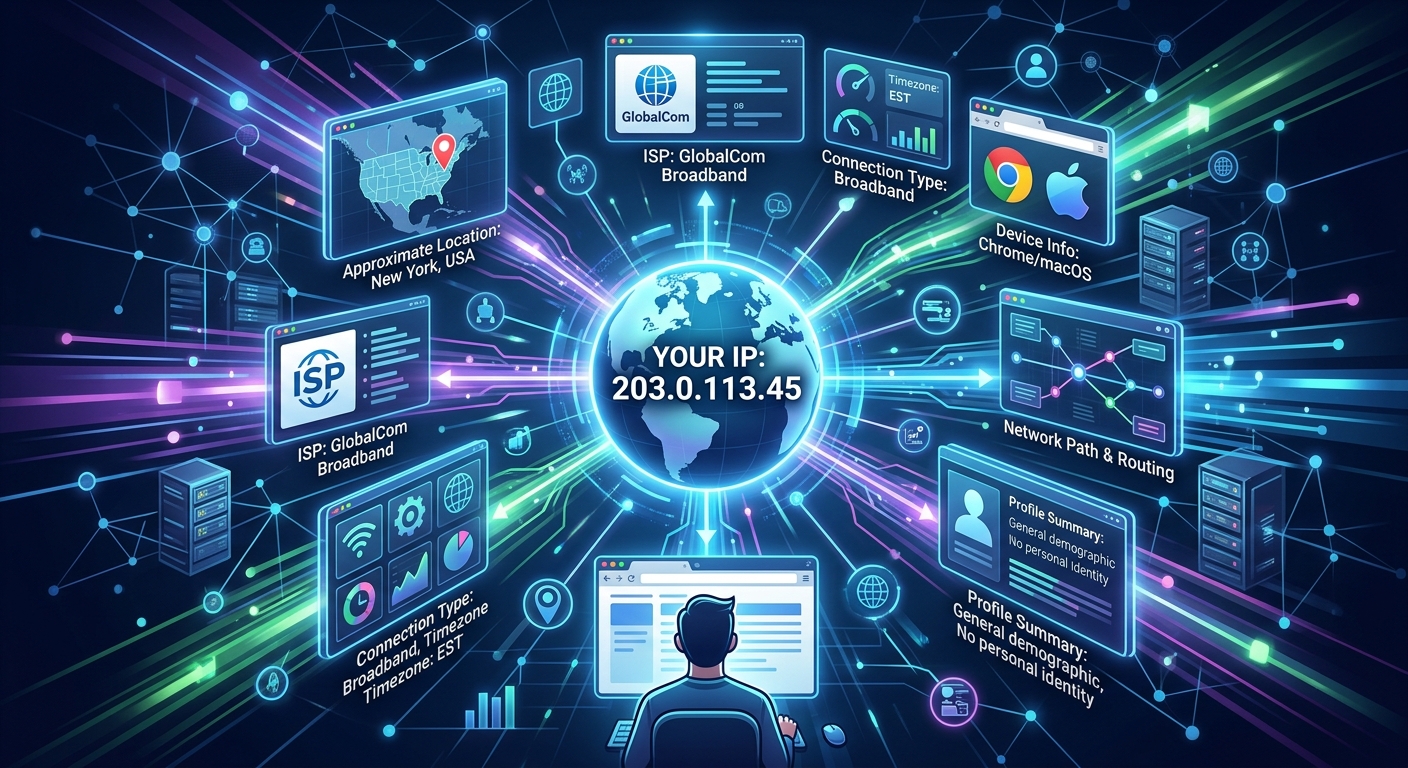
Your public IP address travels with every request you send online. The moment your browser loads a page, the web server on the other end already has it. No login required. No permission asked. That string of numbers arrives automatically, and the server can log it, analyze it, and pass it through third-party databases in milliseconds. But what does that actually mean for you? The answer is more nuanced than most privacy headlines suggest.
What This Actually Comes Down ToYour public IP address gives a web server a narrow but real window into your network context. It can point toward your approximate city or region, identify your internet service provider, and link your traffic to an autonomous system number. What it cannot do is name you, pinpoint your home, or reveal the other sites you visit. The gap between those two realities is where most IP privacy myths are born.
The Moment You Connect: What Lands on the Server First
Every HTTP request your browser sends includes a source IP address. This is not a cookie, not a tracker, and not something you opted into. It is how the internet routes packets back to you. Without it, the server would have nowhere to send the page you requested.
The server sees this address the instant your request arrives. It might log it in an access file. It might hand it to an analytics platform. It might run it through a geolocation database before the page even finishes loading. None of that requires your knowledge or consent. That is not a flaw in the design. It is the fundamental mechanic of TCP/IP networking, as laid out in IPv4's technical specification published by the IETF back in 1981.
The first thing to accept is that your IP is always visible to any server you connect to. The more useful question is what that server can actually learn from it.
Geolocation: City-Level Guesses, Not Street-Level Certainty
IP geolocation is one of the most commonly misunderstood tools on the internet. Many people assume it works like GPS. It does not. Geolocation databases map IP address ranges to known physical locations by drawing on data from regional internet registries, ISP registration records, and crowdsourced signals.
The accuracy degrades sharply as you zoom in. Country-level accuracy is generally very high, often above 95 percent for IPv4 addresses. Region or state-level accuracy is reasonable in most cases. City-level accuracy varies widely depending on the ISP and how they allocate their address blocks.
A large ISP might route traffic for an entire metropolitan area through a single IP block registered at its headquarters address. Your device could be 60 kilometers from that address and still map to the city where the ISP's operations center sits. The geolocation result is confident. The result is also wrong about your actual location.
Mobile connections make the picture even blurrier. Carriers sometimes route traffic through a national gateway. The database might confidently report a city that has nothing to do with where you are sitting. That is not a flaw being fixed. It is a structural limit of inferring physical location from network registration data.
ISP and ASN Data: The Network Identity Behind Your Address
Two pieces of data tend to be reliably accurate: your internet service provider and your autonomous system number, commonly written as ASN. These are not inferences. They come directly from public registration data that ISPs are required to file with regional internet registries, and their public allocation records are available to anyone who wants to trace an IP block back to its registered organization.
An ASN is a unique identifier assigned to a network operator. That might be a broadband provider, a university, a cloud hosting company, or a corporate network. When your traffic reaches a web server, that server can look up which ASN your IP belongs to and learn exactly who runs the network you are on.
This carries more weight than most users realize. A website can tell the difference between a residential connection and traffic originating from a data center IP block. It can identify whether you are connecting through a known VPN provider's ASN. It can flag traffic arriving from Tor exit nodes. None of that requires knowing your name. The network identity alone is a real signal.
Here is what a web server can reliably learn from your IP address alone:
- Your approximate geographic region, often accurate to city or metro area, sometimes less
- Your internet service provider or mobile carrier by name
- The ASN that owns your IP block and the organization registered to it
- Whether your IP falls into a residential, business, hosting, or proxy classification
- A country assignment and a broad time zone estimate
What an IP Address Cannot Tell a Website
This is where the popular narrative tends to go wrong. An IP address is a network identifier, not a personal identifier. Treating them as equivalent leads to overstated privacy fears on one side and false confidence on the other.
A web server that has your IP address cannot look up your name, your email, your phone number, or your physical mailing address. It cannot see what specific device you are using beyond rough network-type signals. It cannot read your browser history or know which other sites you visited before or after. It has no access to your search queries, your messages, or anything you have not directly sent to that server.
Things that an IP address simply does not reveal:
- Your full name, email address, or any account credentials
- Your precise street address or building
- The content of other websites you have visited in the same session
- Your device model, operating system, or hardware configuration
- Any data stored locally on your device or in your browser
To collect that kind of information, a site needs cookies, account logins, browser fingerprinting, tracking pixels, or data submitted through forms. IP alone cannot bridge the gap between "a connection from a residential broadband address somewhere in the Chicago metro area" and "this specific person at this specific address."
Law enforcement can sometimes make that connection, but only by subpoenaing the ISP and correlating their internal customer account records against a specific timestamp. That process requires legal authority and does not happen automatically during an ordinary browsing session.
Seeing Your Own Publicly Visible Data Firsthand
The best way to calibrate your understanding is to check the data yourself. Rather than relying on theoretical descriptions, run an IP lookup and observe exactly which fields populate and which come back empty or approximate. You will likely find your ISP name correctly listed and your ASN accurately identified. The city field may or may not match your actual location. You will notice that no name, no physical address, and no browsing data appears anywhere in the results.
That exercise grounds the conversation in observable facts rather than speculation. The populated fields show what is genuinely exposed. The blank or approximate fields show where the limits are. There is no substitute for looking at the actual output.
Dynamic IPs, Shared Addresses, and Why Attribution Gets Complicated
Most residential ISPs assign dynamic IP addresses. Your public IP changes periodically, sometimes every time your router reconnects to the network. The address you have today may belong to a different customer next week or next month. That is not a privacy feature by design, but it does reduce the long-term tracking value of IP alone.
Carrier-grade NAT makes things even more layered. Some ISPs, especially mobile carriers, route many customers through a single shared public IP. If you are on such a network, dozens or hundreds of users may appear to the outside world as the same address simultaneously. Any geolocation or attribution tied to that IP applies to all of them equally, which is to say it applies precisely to none of them individually.
IPv6 changes some of this dynamic. IPv6 addresses are long enough that most ISPs can assign a unique prefix to each customer rather than sharing blocks across many users. That potentially makes IPv6 addresses more stable identifiers over time. The same structural limits still apply, though. An IPv6 address still identifies the ISP and the ASN. It still cannot reach through the network layer and extract personal identity from the application layer above it.
Network Data Is Real, but Identity Is a Different Layer Entirely
Your public IP is a snapshot of your network context at a given moment. It answers the question "which network is this request coming from?" with reasonable accuracy. It does not answer "who is the person sending this request?" with any precision at all.
That distinction matters for anyone trying to reason clearly about online privacy. Network-level data and personal identity live at separate layers of the internet stack. IP addresses belong to the network layer. Identity, behavior, and personal information belong to the application layer, and they only become accessible when you actively provide them through logins, form submissions, or the behavioral traces that other tracking technologies collect.
Understanding that boundary does not make IP data inconsequential. Network identity is genuinely useful for routing decisions, fraud prevention, regional content licensing, and traffic management. Businesses and platforms use it every day for legitimate operational purposes. But it is a narrow signal with clear limits. Reading those limits accurately is more useful than either dismissing IP data entirely or treating it as a comprehensive surveillance tool it was never designed to be. The data is real. The mythology around it is not.
More from the guide library: How Spam Filters Use IP Reputation and DNS Records to Screen Email