How Sites Still Identify You After a VPN or IP Address Change
A VPN masks your IP address but leaves session cookies, browser fingerprints, and account IDs fully visible to the services you visit. Here's how each works.
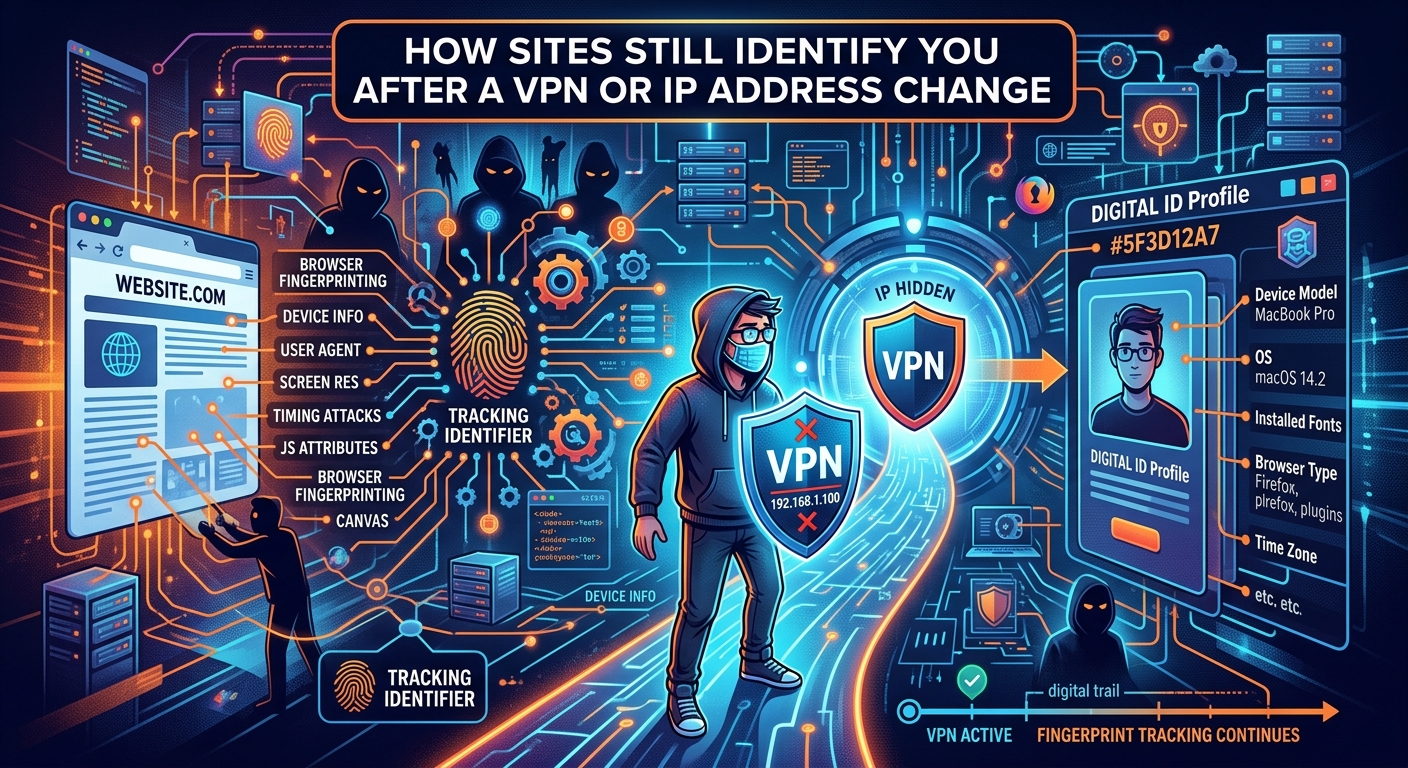
You connected to a VPN, picked up a fresh IP address, and assumed the service on the other end had lost the thread. It has not. A VPN reroutes your traffic through a remote server and substitutes that server's IP address for yours. That is a genuine, measurable privacy benefit at the network layer. The problem is that IP address masking is a network-layer operation, and most of the identity signals that online services rely on live at the application layer. Those signals travel right through your VPN tunnel without interruption, untouched and perfectly legible at the destination.
The Signal Gap
- Session cookies tie your authenticated identity to your browser regardless of which IP address your traffic arrives from.
- Browser fingerprints compile dozens of hardware and software attributes into a near-unique identifier that survives IP address changes entirely.
- Reusing the same username across platforms links your separate accounts at the identity layer, bypassing any network-layer separation a VPN provides.
What a VPN Actually Does at the Network Layer
A VPN creates an encrypted tunnel between your device and a provider's server. Your traffic exits that server onto the public internet. The service you are connecting to sees the VPN server's IP address. Your ISP sees encrypted data going to the VPN server but cannot read the contents or the destination. Both parties get a partial picture at best.
These protections are real. Your ISP cannot log your browsing destinations. Services cannot place your physical location with precision. Passive observers on a shared network cannot intercept your requests. None of this is trivial.
The boundary of those protections is equally real. Your IP address is one observable attribute among a large set. It is not a login credential. It is not tied to your browser state. Consumer IP addresses change constantly as users move between networks and as ISPs rotate assignments. Online services that care about tracking returning users built their systems long ago to function without relying on IP address stability. The IP address is logged, but it is rarely the primary key.
Session Cookies Tie Identity to the Browser, Not the IP Address
A session cookie is a token your browser stores and sends back to a server with every subsequent request. When you log into a site, the server creates a session record, links it to your account, and issues your browser a token. On every following request, your browser presents that token. The server finds the record, confirms your identity, and responds accordingly.
None of that process involves your IP address. The token was issued to your browser, not to your current network address. You can switch VPN exit nodes mid-session and the cookie travels with you. Cookies are scoped to domains and paths, not to network addresses, per HTTP cookie state management rules that have been standardized for well over a decade. That scoping is intentional. Sessions must survive the legitimate IP address changes that happen when a user's mobile device switches from a Wi-Fi network to a cellular network. Stability is a feature, not an oversight.
From a tracking standpoint, this means that changing your IP address does nothing to break an established session. The moment you enable a VPN and reload the page you were logged into, your browser sends the same session token from the new IP. The server receives it, recognizes it, and continues serving you as the same authenticated user without hesitation.
Third-party tracking cookies extend this further. Advertising networks embed their trackers across large numbers of sites. When you visit a site that loads a resource from a tracker you have encountered before, your browser sends the tracker's cookie along with the request. The tracker has now observed you across multiple sites, linked by a persistent cookie, regardless of whether your IP address changed between visits.
Browser Fingerprinting Creates an Identifier Without Storing Anything on Your Device
Session cookies require your browser to hold a value and send it back. Browser fingerprinting requires nothing from your side. A fingerprinting script runs at the moment of your visit, reads observable properties of your browser and device, and derives a value from that combination. Your device stores nothing. The server does all the work.
The W3C classifies this as a passive tracking surface in its web privacy threat guidance precisely because it bypasses user consent mechanisms. There is no cookie to block, no permission to deny, no storage to clear. The attributes exist as long as your hardware and software configuration remain unchanged.
The Attributes That Build a Browser Fingerprint
A fingerprinting script typically begins with your user-agent string, which names your browser, its version, and your operating system. It reads your list of installed fonts by testing which ones render correctly. It queries your screen resolution and color depth. It calls the Canvas API to draw a small image, then reads back the pixel data. Different graphics drivers on different hardware produce slightly different output for the same drawing instruction, which makes the canvas hash a hardware-level signal. WebGL performs a similar function using GPU rendering paths.
The script also collects your system time zone, your browser's language settings, whether cookies are enabled, your audio context output, and your list of browser plugins. Each attribute narrows the field. Taken together across the real population of browser configurations, the combined value is unique or near-unique for a substantial fraction of users.
A VPN changes none of this. Your screen resolution is identical behind a VPN. Your GPU is identical. Your installed fonts are identical. A fingerprinting script run against your browser before and after enabling a VPN produces the same output. The network layer changed. The device and software layer did not.
How Sites Use Fingerprint Data in Practice
A service that stores fingerprints can recognize returning visitors regardless of their current IP address. If your fingerprint was recorded during a visit last week from your home network, and you visit today through a VPN, the fingerprint match tells the server it has seen this configuration before. Whether the service acts on that match depends on its purpose. Fraud detection systems treat this kind of device continuity across multiple IP addresses as a strong signal that multiple apparent identities are the same actor. Account systems use it to flag suspicious logins. Some advertising platforms use it to maintain attribution chains when cookies are blocked.
How the Three Methods Compare in Practice
Persistence, Scope, and Reset Requirements for Each Identification Method
| Method | What It Uses to Identify You | Survives IP Change | What Actually Resets It |
|---|---|---|---|
| Session cookie | Token stored in browser, matched against server-side session record | Yes, always | Clearing cookies, logging out, or using an isolated browser profile |
| Browser fingerprint | Hardware and software attributes read at visit time, no storage required | Yes, always | Changing the device, OS, or browser; using purpose-built anti-fingerprint tooling |
| Account identifier | Credentials you supply directly at login or registration | Yes, always | Using a separate, unlinked account with a distinct username and email address |
Account Identifiers and the Cross-Platform Username Problem
Session cookies and browser fingerprints are passive mechanisms. The service collects them without your direct participation. Account identifiers work differently. When you log in, you are handing your identity to the service voluntarily and explicitly. No level of IP masking changes that.
The subtler version of this problem is cross-platform linkage. If you use the same handle on a forum, a social platform, a gaming service, and a news site, any observer with access to two or more of those services can connect those accounts to a single person. The IP address behind each login is irrelevant. The username is the connective tissue.
This is where the gap between network-layer privacy and genuine identity compartmentalization becomes most visible. A VPN protects your ISP from seeing your destination traffic. It does not prevent platform A from knowing you also have an account on platform B if the username matches. For people who genuinely need separate identities for separate contexts, a username generator makes it practical to create distinct, unrelated handles for each platform rather than carrying a single recognizable identity across every service you use.
The same logic applies to email addresses used at registration, profile images reused verbatim, and writing style consistent enough to be matched computationally. Identity compartmentalization is a problem that spans every layer of how you interact with a service. Changing the IP address handles exactly one of those layers.
Stacked Signals and Why Each Layer Reinforces the Others
Each of these tracking methods works independently, but services routinely use them together. A login form takes your credentials. The same page sets a session cookie. A background script runs a device fingerprint check against a database used for fraud detection. The IP address is logged as one additional data point. Remove the IP signal by switching to a VPN, and three other signals still confirm who you are with high confidence.
This layering is not accidental. Any service that needs to recognize returning users reliably has a strong incentive to collect multiple independent signals. A session cookie can be cleared. A fingerprint changes when you switch devices. But when credentials, a session cookie, and a fingerprint all converge on the same user profile, the identification holds regardless of what the packet headers say about the originating IP address.
Fraud prevention systems apply this reasoning aggressively. A payment processor that sees the same device fingerprint behind five different account registrations from five different IP addresses treats that as one actor across all five attempts. The IP diversity, achieved through VPN switching, does not mislead a system that was built from the start to weight device-level signals above network-level signals.
The Layer Your VPN Was Never Designed to Cover
A VPN is a real tool with real capabilities. It encrypts traffic in transit. It hides your IP address from destination services. It prevents your ISP from logging which sites you visit. These are not small things, and dismissing the value of a VPN entirely misrepresents how it works.
The accurate framing is more specific. A VPN changes what an observer at the network layer can see. It does not change what an application-layer service observes once you begin interacting with it. If you carry your session cookies, your unchanged browser fingerprint, and your familiar username into a VPN session, you have modified one observable attribute and left most of them intact.
Meaningful compartmentalization requires treating each layer as a separate problem. That means clearing cookies or using isolated browser profiles for each distinct context. It means recognizing that browser fingerprints track your hardware and software configuration, not your IP address, and that changing your exit node does not touch the fingerprint. It means using distinct account credentials, including unlinked usernames and separate email addresses, for contexts you want kept apart. None of these steps substitutes for any other. And none of them can be replaced by a single network-layer toggle.
The VPN handles the network. The application layer requires separate, deliberate decisions at every point of contact.
More from the guide library: How Spam Filters Use IP Reputation and DNS Records to Screen Email · What Your IP Address, Email, and Browser Together Tell a Website